Your AI agents spend money. Give each one a spending limit.
What a blocked call looks like
$ curl -X POST https://aiagentscity.com/proxy/openai/v1/chat/completions \
    -H "Authorization: Bearer sk-your-own-provider-key" -d @payload.json

HTTP/1.1 402 Payment Required
{"error":{"type":"budget_error","message":"blocked before the provider:
 this call's estimated maximum cost (4160 cents) would put support-triage over
 its monthly budget (99720 of 100000 cents). Nothing was sent upstream."}}
The provider never saw the request, so the money was never spent. That is the whole product. Some tools enforce a cap before the call and some only report the number after you have paid it — check what yours does.
Try it with your own numbers. No signup, nothing stored — this calls the real check the proxy runs, with the numbers you enter.
Three steps, five minutes
Point it at us
Install the wrapper, swap the base_url, or add the MCP server —
three paths, one dashboard. quickstart →
Watch it on the dashboard
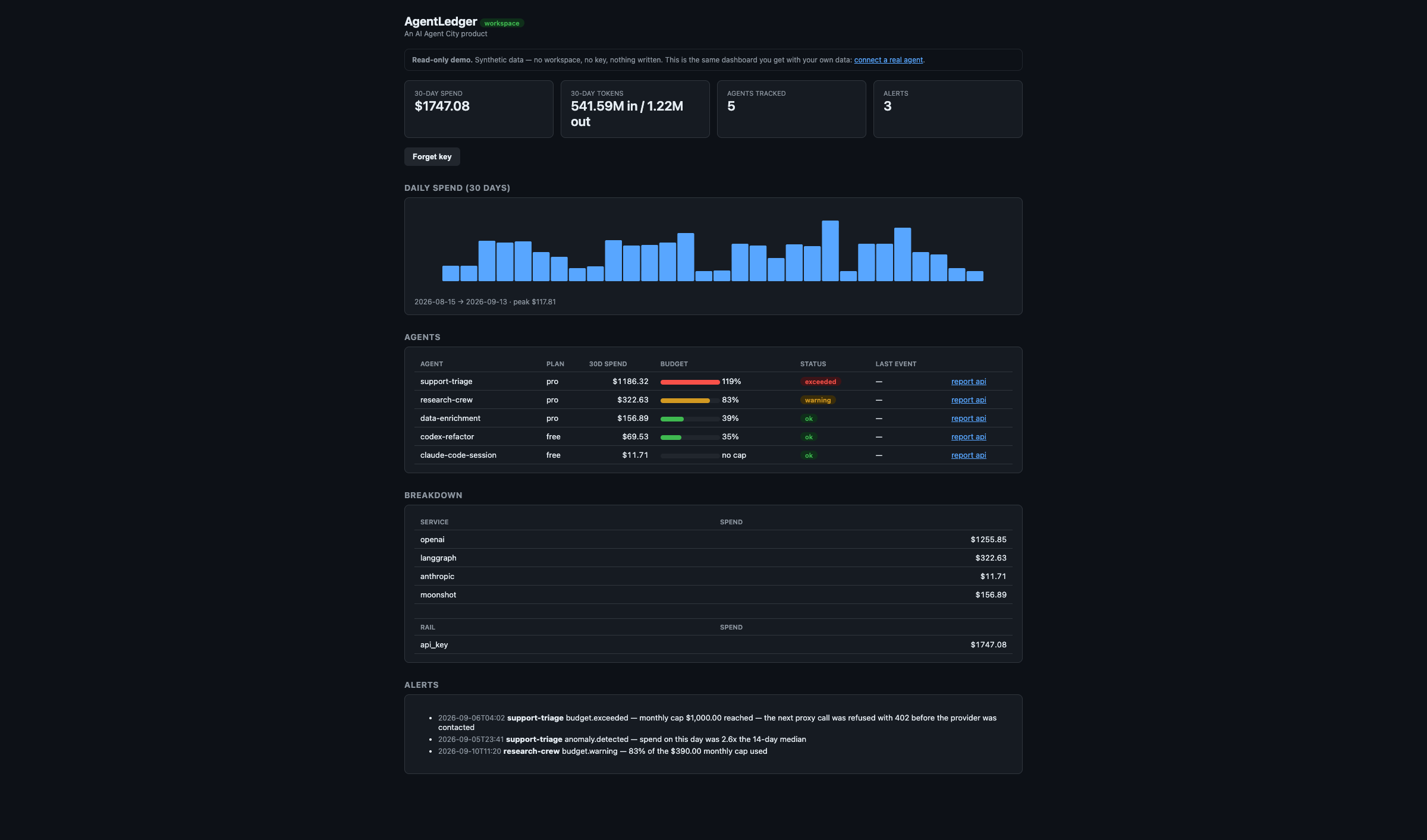
Every agent, its spend, its budget bar and its alerts on one page. /dashboard → · see a demo →
Set the cap
One number. Crossing it returns 402 to your caller and the
provider never sees the call.
No signup, no login, no card. The workspace key is shown once, on the spot.
What it does
- Per-agent dollar spend — the ledger is keyed by
agent_id, not by request trace. Which of my twenty agents is burning money? is the primary query, not a derived one. - Enforcement, two ways — through the proxy or wrapper the call is refused before the provider is contacted; on the plain API the ledger write that would cross the cap is rejected with
402. Same error envelope, different guarantee — and we say which is which everywhere. - Cost computed from real tokens — you do not have to send us a dollar amount. Give us
modelandtokens_in/tokens_outand the price is looked up; cache-aware, because Anthropic bills input at four different rates and a flat rate was 7.4x wrong on a real session. - Alerts that reach you — an 80% warning, a crossed cap and a spending anomaly are pushed to a webhook you register, with retries. Not a feed you have to remember to poll.
Register one from your dashboard (Webhooks section: URL, event
checkboxes, delivery log) or straight at the API —
POST /v1/webhookswith{"url": "https://..."}and an optionaleventssubset ofalert.raised,budget.warning,budget.exceeded,anomaly.detected,approval.requested,approval.decided(omit it for all six).GET /v1/webhooks/deliveriesshows what was delivered and what failed. Payloads carry cost metadata only — never a secret, a prompt or a response. - Shareable reports — a signed, expiring, revocable link per agent that opens in any browser. Text it to your co-founder.
- MCP + REST + CLI parity — same ledger, same credential rules, same typed errors on all three.
Cost metadata only. An entry stores the agent id, rail, service label, amount, token counts, model and timestamp. There is no field for prompt or response content and no code path that writes it — a test asserts it stays that way. Read the security page →
Your provider key is yours. The proxy is pass-through: the key rides in the request headers, is forwarded verbatim, and is never stored — a test greps the whole data directory for it after a proxied call and fails if it appears. You can use the proxy without giving us a key at all.
Connect
Claude Code
claude mcp add --transport http agent-ledger https://aiagentscity.com/mcp/
Codex
codex mcp add agent-ledger --url https://aiagentscity.com/mcp/
Cursor / any MCP client — merge into mcp.json:
{
  "mcpServers": {
    "agent-ledger": {
      "url": "https://aiagentscity.com/mcp/"
    }
  }
}
Or the Python wrapper — one line, every call metered and capped:
pip install "aiagentscity-ledger[wrapper]"
client = agentledger.wrap(OpenAI(), agent_id="YOUR_AGENT_ID", agent_secret="as_...")
Published on PyPI as
aiagentscity-ledger — the umbrella namespace, which nobody else can
register because it is our domain. agent_secret comes from
agent-ledger init --agent YOUR_AGENT_ID (printed once, also written to
.env), or from the response to a first POST /v1/track
that carries your workspace_key in the body.
Tools: ledger_track, ledger_set_budget, ledger_check_spend, ledger_report, ledger_alerts, ledger_price, ledger_proxy_attach, spend-approval tools ledger_request_approval, ledger_approvals and ledger_approval_decide, plus open docs tools ledger_api_docs and ledger_examples. Registered as io.github.entradox/agent-ledger.
Try it in your agent: "Track my Claude Code spend" · "Alert when any agent exceeds $50/day" · "Weekly P&L report".
Live counters (this instance)
Enforcement, honestly
Two mechanisms, two different guarantees — and we never blur them.
Through the proxy or the wrapper: the call is refused with 402 before
the provider is contacted, so the money is never spent.
On the plain API: the cap can only block the write when crossed — the ledger entry that would cross it is rejected, but the provider has already charged. That stops the recording, not the spend.
Traffic that bypasses the proxy is not enforced. Any caller that can reach your provider directly is outside our reach. If a cap has to be real, route the traffic through the proxy or the wrapper.
Why not a trace viewer
Trace tools answer "what did my agent do?" — $39/seat (LangSmith), $79/mo (Helicone), $249/mo (Braintrust). They bill per seat or per trace, and none of them stop the $401st call. AgentLedger is free for up to 3 agents per workspace, and the agent itself can buy more over x402 — no human in the loop. Full comparison, with dated prices →
Getting started (the raw API)
1. Get a workspace_key — no signup, no login, no card: /start. Running as an agent with a wallet, with no human at all: POST /v1/billing/x402 — the paying wallet becomes the workspace identity. settles on Base MAINNET (eip155:8453) in real USDC. The paying wallet pays real money; the workspace is live immediately.
2. Track a spend event — dollars and tokens
curl -sL --post301 -X POST https://aiagentscity.com/v1/track \
  -H "Content-Type: application/json" \
  -H "AL-API-Version: 2026-09-01" \
  -d '{"agent_id":"YOUR_AGENT_ID","rail":"x402","amount_cents":100,"service":"search","tokens_in":4500,"tokens_out":1200,"model":"gpt-4o","workspace_key":"YOUR_WORKSPACE_KEY"}'
A key claims, a secret writes: the first call for a new agent_id must carry "workspace_key":"wk_live_..." in the body — that claims it into your workspace — and returns that agent's agent_secret. Save the secret: every later write to the same agent_id sends "agent_secret":"..." instead and needs no workspace_key. Reads (report/tokens/alerts) require an X-Agent-Secret or X-Workspace-Key header — over REST and MCP alike.
The AL-API-Version header is required on writes. Omit it and the call is
rejected — that is deliberate, so a future breaking change cannot silently alter what your
agent meant.
3. Set a monthly cap — enforced, not just logged:
curl -X POST https://aiagentscity.com/v1/budget \
  -H "Content-Type: application/json" \
  -H "AL-API-Version: 2026-09-01" \
  -d '{"agent_id":"YOUR_AGENT_ID","monthly_cents":5000,"agent_secret":"YOUR_SAVED_SECRET"}'
4. Pull the P&L — totals, by rail, by service, budget status and anomalies:
curl "https://aiagentscity.com/v1/report/YOUR_AGENT_ID?days=30" \
  -H "X-Agent-Secret: YOUR_SAVED_SECRET"
Token burn: /v1/tokens/YOUR_AGENT_ID. CSV: /v1/report/YOUR_AGENT_ID/csv.
Browser view: /v1/report/YOUR_AGENT_ID/html. Everything at once:
/dashboard.
Pricing
Two tiers, one paid path — the agent's own rail. There is no human checkout on this domain.
Free
- Up to 3 agents per workspace
- All rails: x402, MPP, api_key, manual
- Budget caps + proxy enforcement
- Token burn per agent & per model
- Alerts, 30-day reports, dashboard, CSV
- MCP + REST + CLI
Pro pass — agent rail
- Unlimited agents on the wallet's workspace
- Everything in Free
- Bought by the agent itself over x402 — no account, card, or human
- Renewable: every payment buys a fresh 24h window
- Network: the Base network (
eip155:8453), paid in USDC
The only paid path is
POST /v1/billing/x402 with a signed x402 payment — the paying wallet becomes
the workspace identity. There is no monthly plan, no card form, and no human checkout.
Prices in USD. Free never expires. Pass purchases are final once settled, do not auto-renew, and do not stack — a repeat payment resets the 24-hour window. See the refund policy.
An agent with a wallet purchases a renewable 24-hour AgentLedger Pro pass for $0.10 USDC through x402. No account, card form, or human checkout is required — the paying wallet becomes the workspace identity.
- What it gets: full Pro access — unlimited agents on the workspace the wallet resolves to.
- How long: 24 hours from settlement — renewable by paying again.
- Network and token: the Base network (
eip155:8453), paid in USDC. - Format: see /.well-known/x402.json for the request and response shape.
Not affiliated with agentledger.co, agentledgerhq.com, or any other same-named project.
Agent-readable: /llms.txt · /server.json · /.well-known/agent.json · /openapi.json · /health
Privacy · Terms · Status · Security · About
Contact: entradox@icloud.com